
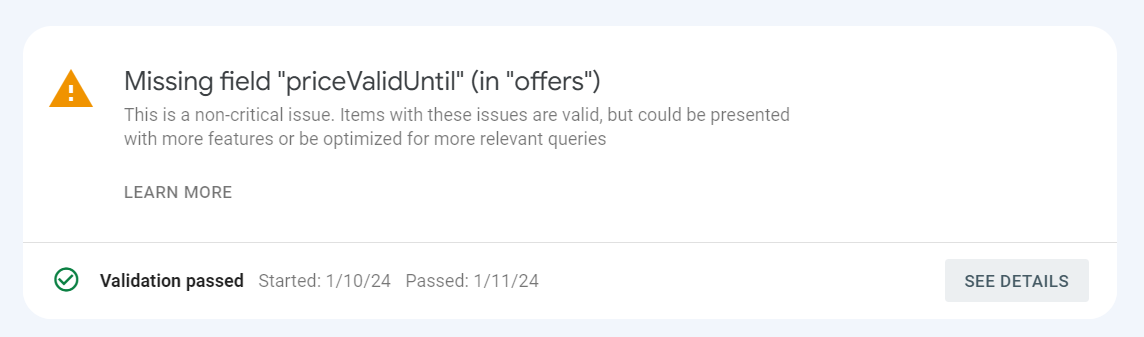
The Missing field “priceValidUntil” acts as a clear signpost for Google, indicating exactly when a specific price will expire. While this field is not always required, Google strongly recommends including it to improve clarity and accuracy. Think of it as a way to help Google display the most up-to-date pricing information to potential customers, reducing the risk of confusion caused by outdated prices or expired offers.
Common Causes of Missing field “priceValidUntil”
Uncover the various reasons behind the missing field priceValidUntil in GSC. From coding errors to schema implementation, understanding the root causes is crucial for an effective resolution.
How to Impact on SEO Ranking:
Missing the “priceValidUntil” field in your product structured data may impact your SEO ranking in a few ways, but the exact effect depends on several factors:
Potential negative impacts:
- Reduced accuracy and clarity: Google prioritizes providing accurate and up-to-date information to users. Missing fields like “priceValidUntil” can make your product snippets appear less informative and reliable, potentially leading to lower click-through rates from search results.
- Limited eligibility for rich features: Google utilizes certain structured data elements to display enhanced product snippets in search results, such as price ranges, countdown timers for sales, and special badges. Lacking “priceValidUntil” might exclude your products from these features, making them less visually appealing and potentially reducing clicks.
- Loss of user trust: If a user clicks on your product snippet based on an advertised sale price but then finds it expired on the landing page, it can create a negative experience and erode trust in your website. This could translate into lower engagement and bounce rates, which are negative signals for SEO.
Google Recommendation:
The “priceValidUntil” field is recommended in the product schema. It is used to indicate the date when a particular price for a product will expire. This is useful for products that are on sale or have limited-time pricing. Explore More for google recommendation about product schema.
If you do not add the “priceValidUntil” field to your product schema, Google Search Console may report a warning or error. This is because Google wants to ensure that its search results are accurate and up-to-date.
To fix this issue, you need to add the “priceValidUntil” field to the offers section of your product schema. The value of this field should be the date when the price will expire.
Missing Field “priceValidUntil” Values:
Example: Use the correct ISO 8601 date format (e.g., “2024-01-10”).
"offers": {
        "@type": "Offer",
        "url": "https://example.com/jacket",
        "priceCurrency": "USD",
        "price": 108.99,
        "priceValidUntil": "2024-01-10",
        "itemCondition": "https://schema.org/UsedCondition",
        "availability": "https://schema.org/InStock"
      }
You can use a rich results testing tool to validate your product schema and make sure that the “priceValidUntil” field is correctly formatted.
Once you have fixed the issue, you can check on the rich snippet tool to see if the issue is fixed or not. The rich snippet tool will show you how your product will appear in search results.
How to fix Missing field “priceValidUntil” Issue in GSC?
Here’s a guide on how to fix the “Missing field ‘priceValidUntil’ (in ‘offers’)” issue in Google Search Console:
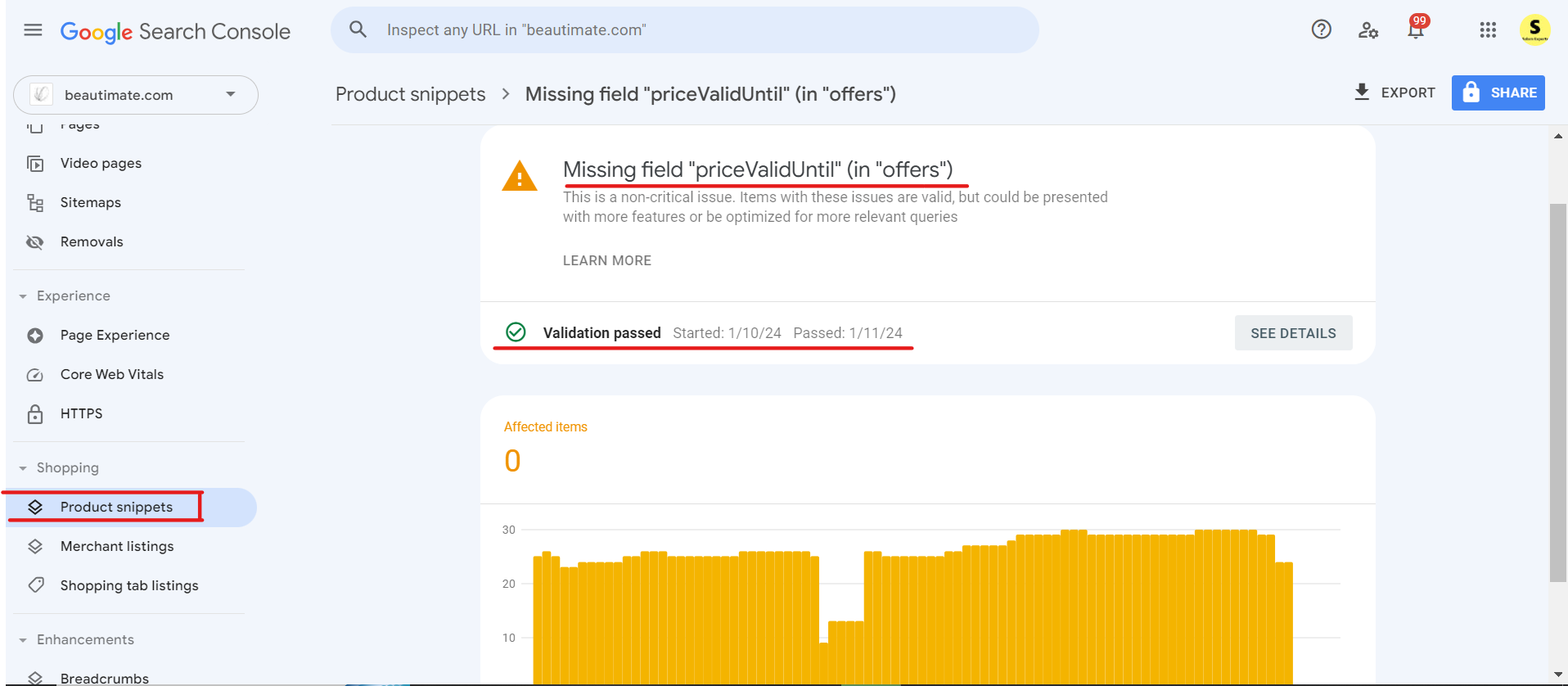
1. Identify the Affected Products:
- Access the “Product snippets” report in GSC to see a list of pages with the error.
2. Utilize Validation Tools:
- Use Google’s Rich Results Test to test your product URLs and ensure your schema is eligible for rich snippets. You can also use the official Schema Markup Validator to inspect the syntax and check for missing fields across your JSON-LD code.
3. Consult Google’s Documentation:
- Refer to Google’s Structured Data Guidelines for Products for detailed instructions on implementing “priceValidUntil”:
4. Implement the Field:
- Add the “priceValidUntil” field within the “offers” schema for eligible products, specifying the correct expiration date.
- Use either JSON-LD, Microdata, or RDFa format, depending on your website’s setup.
Here’s an example of a product page selling a product, with product “priceValidUntil”. It extends the earlier product review page example with structured data relevant for merchant listings. The page may be eligible for all merchant listing experiences, as it includes an offer.
*/ This is complete Product Snippet Schema included "priceValidUntil" in offer Section. "priceValidUntil" Section is highlight in this schema example. /*

<script type="application/ld+json">
    {
      "@context": "https://schema.org/",
      "@type": "Product",
      "name": "Executive Anvil",
      "image": [
        "https://example.com/photos/1x1/photo.jpg",
        "https://example.com/photos/4x3/photo.jpg",
        "https://example.com/photos/16x9/photo.jpg"
       ],
      "description": "Sleeker than ACME's Classic Anvil, the Executive Anvil is perfect for the business traveler looking for something to drop from a height.",
      "sku": "0446310786",
      "mpn": "925872",
      "brand": {
        "@type": "Brand",
        "name": "ACME"
      },
      "review": {
        "@type": "Review",
        "reviewRating": {
          "@type": "Rating",
          "ratingValue": 4,
          "bestRating": 5
        },
        "author": {
          "@type": "Person",
          "name": "Fred Benson"
        }
      },
      "aggregateRating": {
        "@type": "AggregateRating",
        "ratingValue": 4.4,
        "reviewCount": 89
      },
      "offers": {
        "@type": "Offer",
        "url": "https://example.com/anvil",
        "priceCurrency": "USD",
        "price": 119.99,
        "priceValidUntil": "2020-11-20",
        "itemCondition": "https://schema.org/UsedCondition",
        "availability": "https://schema.org/InStock"
      }
    }
    </script>
5. Re-test and Validate:
- Re-run your product pages through the rich results testing tool to verify the issue is fixed.
Fixing the priceValidUntil on other Popular E-Commerce Platforms
- WooCommerce: If you are running WooCommerce, this warning usually appears when a sale price is set without an expiration date. Go to Products > Edit Product, navigate to the General tab under Product Data, click Schedule next to Sale Price, and set a “Sale Price Dates” end date. Alternatively, SEO plugins like Rank Math or Yoast SEO automatically output
priceValidUntilif sale dates are specified. - Shopify: Most modern Shopify themes include
priceValidUntilin theirproduct-template.liquidormain-product.liquidfiles when a compare-at price is active. If missing, update your theme or use a structured data app (like Schema Plus) to automate valid offer schema output. You can also manually add it via a snippet in your theme’s Liquid code:
"priceValidUntil": "{{ 'now' | date: '%s' | plus: days_price_valid_until | date: '%Y-%m-%d' }}",Simply set the days_price_valid_until variable in your theme settings (e.g., 30 days) to control how far into the future the price validity extends. After adding this, re-test the product page using Google’s Rich Results Test to confirm the field now appears correctly.
- BigCommerce: BigCommerce themes typically don’t auto-populate
priceValidUntileither. Use a Script Manager snippet (Storefront > Script Manager) or install a structured data app from the BigCommerce App Marketplace to automatically add sale expiration dates. If you’re comfortable editing theme files, you can also manually update theproduct.htmltemplate to pull the sale end date from your product’s pricing rules
Conclusion:
In conclusion, addressing the “priceValidUntil” issue in GSC is vital for maintaining a robust online presence. Armed with the insights provided in this guide, you can confidently navigate the troubleshooting process. Remember, a proactive approach and adherence to best practices will contribute to a website that not only meets search engine requirements but also provides a seamless user experience.