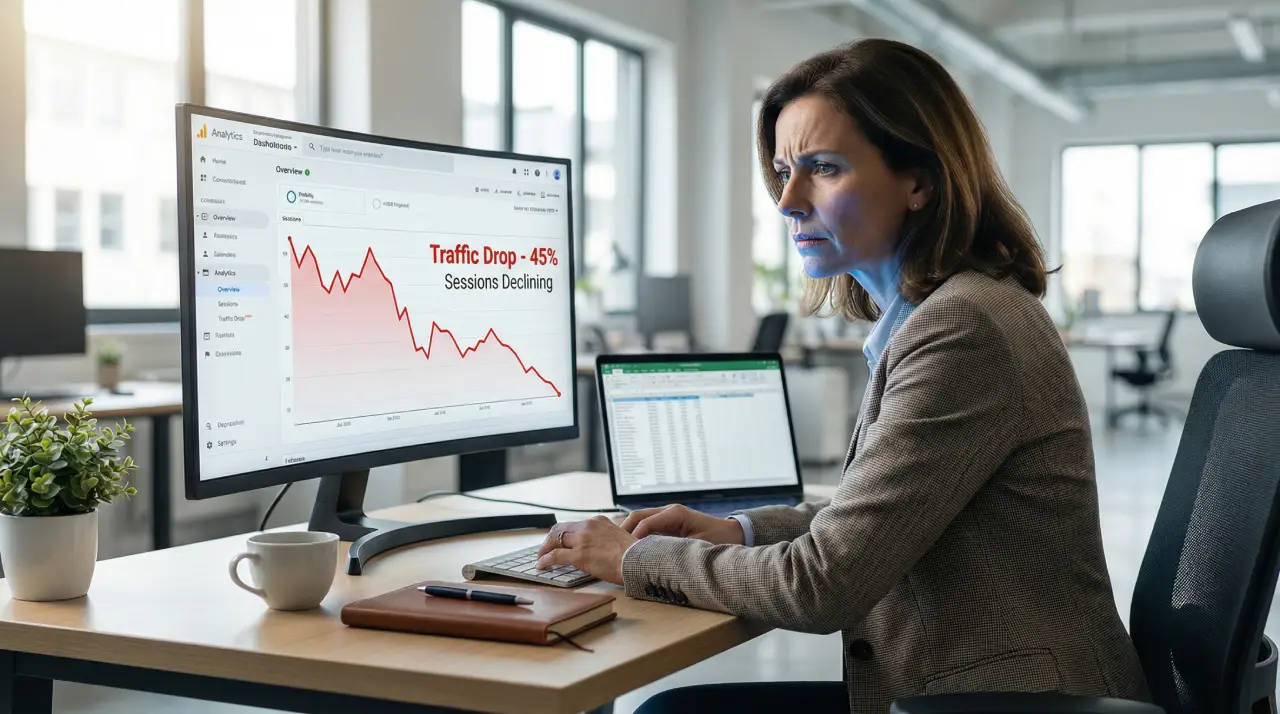
Your rankings looked fine yesterday. Today, your traffic has fallen off a cliff.
Before you panic, take a breath — a sudden drop in website traffic is one of the most common problems website owners face, and in the vast majority of cases it is fixable. This guide walks you through every realistic cause, how to diagnose which one hit you, and exactly what to do to recover.
Step 1: Confirm the Drop Is Real
Not every apparent traffic drop is a real one. Before changing anything on your site, spend five minutes confirming you are actually losing real visitors.
- Check Google Search Console first: Open the Performance report and look at your clicks over the past 90 days. Clicks represent real humans visiting your site. If clicks are holding steady but impressions dropped, you have likely been affected by Google’s September 2025 reporting change (where Google removed the &num=100 parameter, cleaning up bot-generated impression data). Your traffic is fine — only the reporting changed.
If clicks have genuinely fallen, you have a real problem worth investigating.
- Check Google Analytics alongside GSC: Confirm the drop appears in both tools. A drop in GSC but not in Analytics usually points to a tracking issue, not a ranking problem.
- Identify the exact date the drop started: This single piece of information is the most important diagnostic clue you have. Note it down and keep it in mind as you work through the causes below.
The 12 Most Common Causes of a Website Traffic Drop
1. Google Algorithm Update
The most common cause of a sudden, site-wide traffic drop is a Google core algorithm update. Google releases several major updates per year — and the March 2026 Core Update, which rolled out across mid-March 2026, affected an estimated 40–60% of websites, with content-heavy and affiliate sites hit hardest.
How to diagnose: Go to Google Search Central and check if an update was announced around the date your traffic dropped. Cross-reference with tools like Semrush Sensor or Mozcast, which track algorithm volatility.
How to fix it: Core update recoveries are not fast. Google is telling you that compared to competing pages, yours are offering less value. The fix is improving content depth, adding original experience and expertise (E-E-A-T signals), removing thin or outdated articles, and strengthening your internal linking. Recovery typically takes one to three months after substantive improvements.
2. A Technical SEO Error
Technical errors can silently block Google from accessing your pages. This cause is particularly dangerous because your site may look perfectly normal to you while Google sees nothing.
Common technical culprits include:
- Robots.txt blocking your pages — A single misplaced line in your robots.txt file can tell Google to stop crawling your entire site. See our guide on how to fix Blocked by Robots.txt errors in GSC.
- 404 errors on key pages — If important pages have been deleted or URLs changed without redirects, Google will drop them from the index. Learn how to resolve Not Found 404 issues in GSC.
- Server errors (5xx) — If your hosting server is returning errors, Googlebot cannot crawl your pages and will eventually stop trying. See our 5xx server error fix guide.
- Accidental noindex tag — A developer or plugin update can accidentally add a noindex directive to pages, removing them from Google’s index overnight.
How to diagnose: Go to Google Search Console → Coverage/Indexing report. Look for sudden spikes in errors. Use the URL Inspection tool to test your most important pages individually.
3. Pages Removed From Google’s Index
Even without a technical error, pages can quietly disappear from Google’s index. This happens when:
- Google decides your content is low-quality or duplicate
- A canonical tag is pointing to the wrong URL
- Your page was submitted to the Remove URL tool (intentionally or by mistake)
How to diagnose: In GSC, open the Pages report under Indexing. Look at the “Not indexed” tab and review the listed reasons. If you see a sudden increase in “Crawled — currently not indexed,” read our guide on why pages get crawled but not indexed.
4. Google Core Web Vitals Failure
Since 2021, Google has used Core Web Vitals as ranking signals. If your site’s performance suddenly degraded — because of a new plugin, a hosting change, or heavier images — your rankings can drop.
The three metrics that matter in 2026:
- LCP (Largest Contentful Paint): Should be under 2.5 seconds
- INP (Interaction to Next Paint): Should be under 200 milliseconds
- CLS (Cumulative Layout Shift): Should be under 0.1
How to diagnose: Go to GSC → Core Web Vitals. Check if pages moved from “Good” to “Needs improvement” or “Poor” around the date your traffic dropped.
5. A Manual Penalty From Google
Google’s Quality team can issue manual actions against sites that violate their guidelines. Common manual actions include unnatural backlinks, thin content, and cloaking. Unlike algorithm updates, manual penalties show up directly in GSC.
How to diagnose: Go to GSC → Security & Manual Actions → Manual Actions. If there is an action listed, Google will tell you exactly what the issue is.
How to fix it: Address the listed issue, then submit a reconsideration request through GSC. Manual actions are serious and typically require professional help to resolve cleanly — our technical SEO team handles manual action recovery.
6. A Competitor Overtook You
Sometimes your rankings drop not because anything on your site changed, but because a competitor published better content and outranked you. This is a gradual cause, not a sudden one — but it can accelerate if a competitor runs a content or backlink campaign.
How to diagnose: Search your target keywords in an incognito browser. Are competitors who were previously below you now above you? Check their recent publishing and backlink activity using Ahrefs or Semrush.
How to fix: Update and expand your articles to be more comprehensive than the competing pages. Add original data, expert insights, clear structure, and better internal linking.
7. Backlink Loss
If you lost a large number of backlinks — because a site that linked to you went offline, removed the link, or was penalised — your domain authority and rankings can fall.
How to diagnose: Check Ahrefs or Google Search Console’s Links report. Compare your backlink count month-over-month. A sudden loss of referring domains is a red flag.
How to fix: Identify the lost links and attempt to recover them. Simultaneously, build new high-quality backlinks through guest posting, digital PR, and content partnerships.
8. Seasonality and Reduced Search Demand
Not every traffic drop is a problem. Many industries have predictable seasonal patterns — B2B sites lose traffic in December, outdoor and travel sites dip in winter. If your traffic always drops at this time of year, this is normal.
How to diagnose: In GSC, use the date comparison feature to compare this period against the same period last year. If the percentage change is similar, you are experiencing seasonal variation, not a ranking problem.
9. URL Structure Changes Without Redirects
If you recently redesigned your site, migrated to a new CMS, or changed your URL structure — even slightly — without implementing 301 redirects, Google will treat your new URLs as entirely new pages. Your old URLs will return 404 errors and all their ranking history will be lost.
How to fix: Implement 301 redirects from every old URL to its new equivalent. Check GSC for any spike in 404 errors following a site change.
10. Google AI Overviews Reducing Clicks
In 2026, Google’s AI Overviews directly answer many informational queries on the search results page itself. If your content targets informational keywords where Google now shows an AI-generated answer, your impressions may be steady but clicks have fallen because users no longer need to visit your page.
This is not a ranking loss — it is a structural change in how search works. The fix is to target commercial-intent keywords (where AI Overviews are less common), optimise your content to be cited within AI Overviews, and ensure your schema markup is complete so Google uses your content as a source.
11. Hosting or Server Problems
Intermittent server issues — downtime, slow response times, or shared hosting being overloaded — can cause Googlebot to encounter errors repeatedly. Over time, Google reduces its crawl frequency and your pages start falling out of the index.
How to diagnose: Check your hosting uptime logs. Use Google’s URL Inspection tool to fetch your key pages and see what response code is returned.
12. A Tracking or Analytics Issue
Before diagnosing anything on your site, check whether your analytics setup is actually broken. A misplaced Google Analytics code update, a conflicting plugin, or a cookie consent tool blocking the tracking script can make it look like traffic vanished when it actually did not.
How to diagnose: Cross-reference your server logs with your analytics data. If server logs show normal traffic but analytics shows a drop, you have a tracking issue, not a ranking issue.
How to Diagnose Your Specific Drop: A Step-by-Step Process
Follow this process in order before making any changes to your site:
- Set the date. Identify the exact date your traffic started dropping. Write it down.
- Check GSC clicks. Confirm real clicks dropped, not just impressions.
- Check for a Google update. Was a core update, spam update, or helpful content update announced around your drop date? Cross-reference at Google Search Central.
- Check GSC for technical errors. Go to Coverage/Indexing → look for spikes in 404 errors, server errors, or crawl issues.
- Check for a manual action. Go to Manual Actions in GSC. Takes 30 seconds.
- Check Core Web Vitals. Look for pages that moved to “Poor” around your drop date.
- Check backlink profile. Look for sudden loss of referring domains.
- Compare year-over-year. Determine if the drop matches a seasonal pattern.
How Long Does It Take to Recover?
Recovery timelines vary by cause:
| Cause | Typical Recovery Time |
| Technical error fixed (e.g. robots.txt) | 1–4 weeks (after recrawl) |
| Manual action lifted | 2–6 weeks after reconsideration |
| Core update recovery (content improvement) | 1–3 months |
| Backlink loss recovery | 2–6 months |
| Seasonal drop | Automatic next season |
| Tracking issue fixed | Immediate |
When to Get Professional Help
If you have worked through the checklist above and cannot identify the cause — or if the cause is a core update and you are unsure how to improve your content — this is when a professional SEO audit saves time and money.
Our team at 3wBiz specialises in exactly this situation. We identify the root cause of your traffic drop, fix the technical issues, and build a recovery plan tailored to your site. Get a free technical SEO audit quote — most clients see their first ranking improvements within 30 days of our fixes going live.
Summary
A sudden drop in website traffic is almost always fixable once you know the cause. Start with Google Search Console — it tells you more about your site’s health than any other tool. Confirm the drop is real, check for technical errors first (they are the quickest to fix), then work through algorithm, content, and backlink causes.
If you need a hand diagnosing or fixing the issue, we are here to help.
Related Reading